TL;DR
On-the-fly summarization studying tool
BACKGROUND
In the course "Fundamentals of Programming and Computer science," we were assigned a final term project in which we fully designed and developed an application of our choosing. I wanted to create a product aimed at helping busy students like me streamline our studying habits and turn work into something to enjoy, not something to dread.
MY ROLE
After discovering the lack of reliable summaries and study opportunities for shorter writing pieces like articles, I decided to create a text summarization tool titled TL;DR. TL;DR provides on-the-spot summarization for writing pieces of all sizes and contains features for students to dive deeper into the text, as well as manage their summaries. I was also assigned a mentor, and we engaged in weekly meetings to discuss my progress, my plans for the project, and any obstacles I was encountering.
Timeline
Spring 2022
Languages
Python
Methods
UI Design
Machine Learning
Data Cleaning
Web Scraping
Naive Bayes Algorithm
Tools
Figma
VS Code
Jupyter
IDEATION
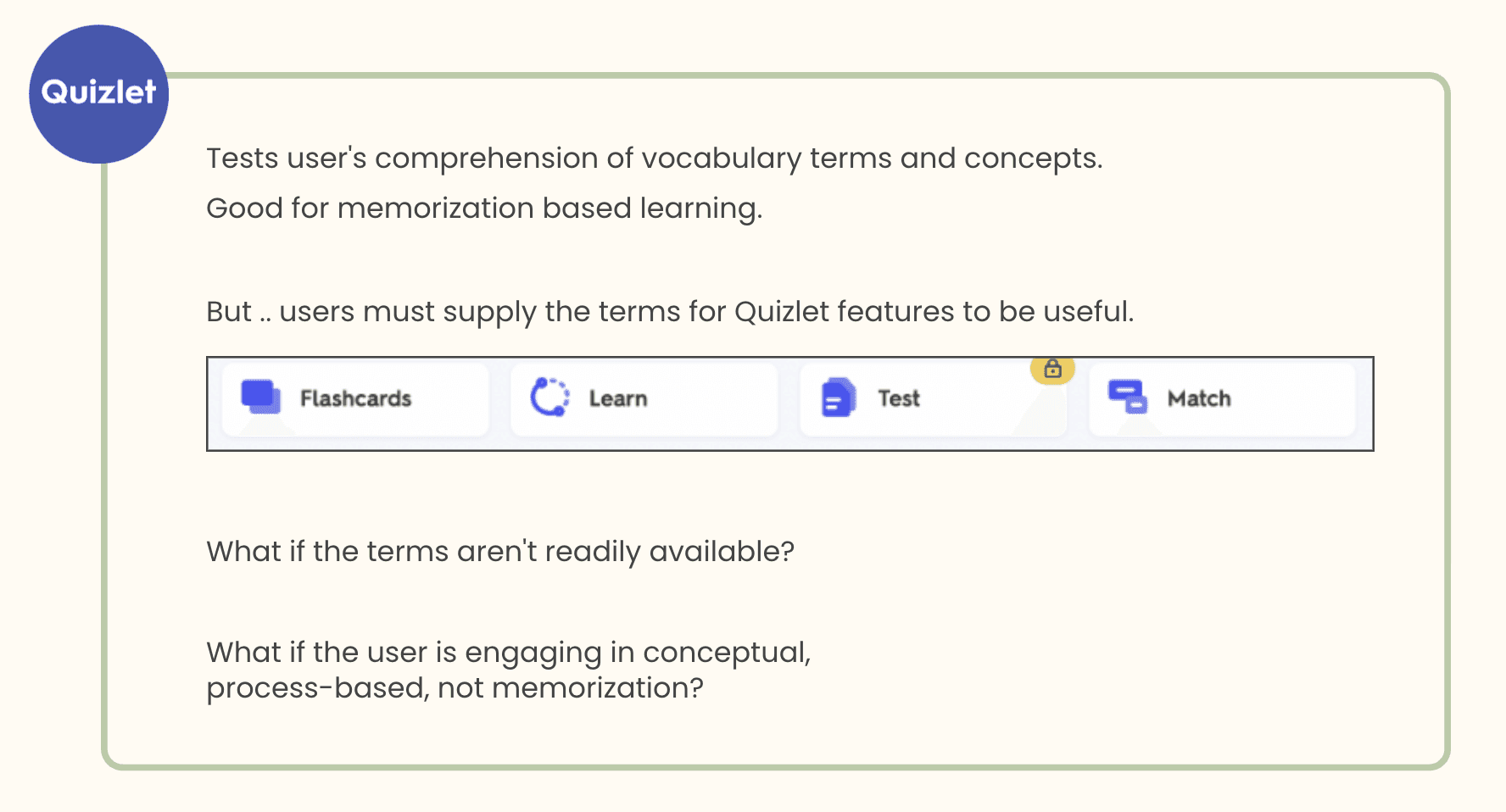
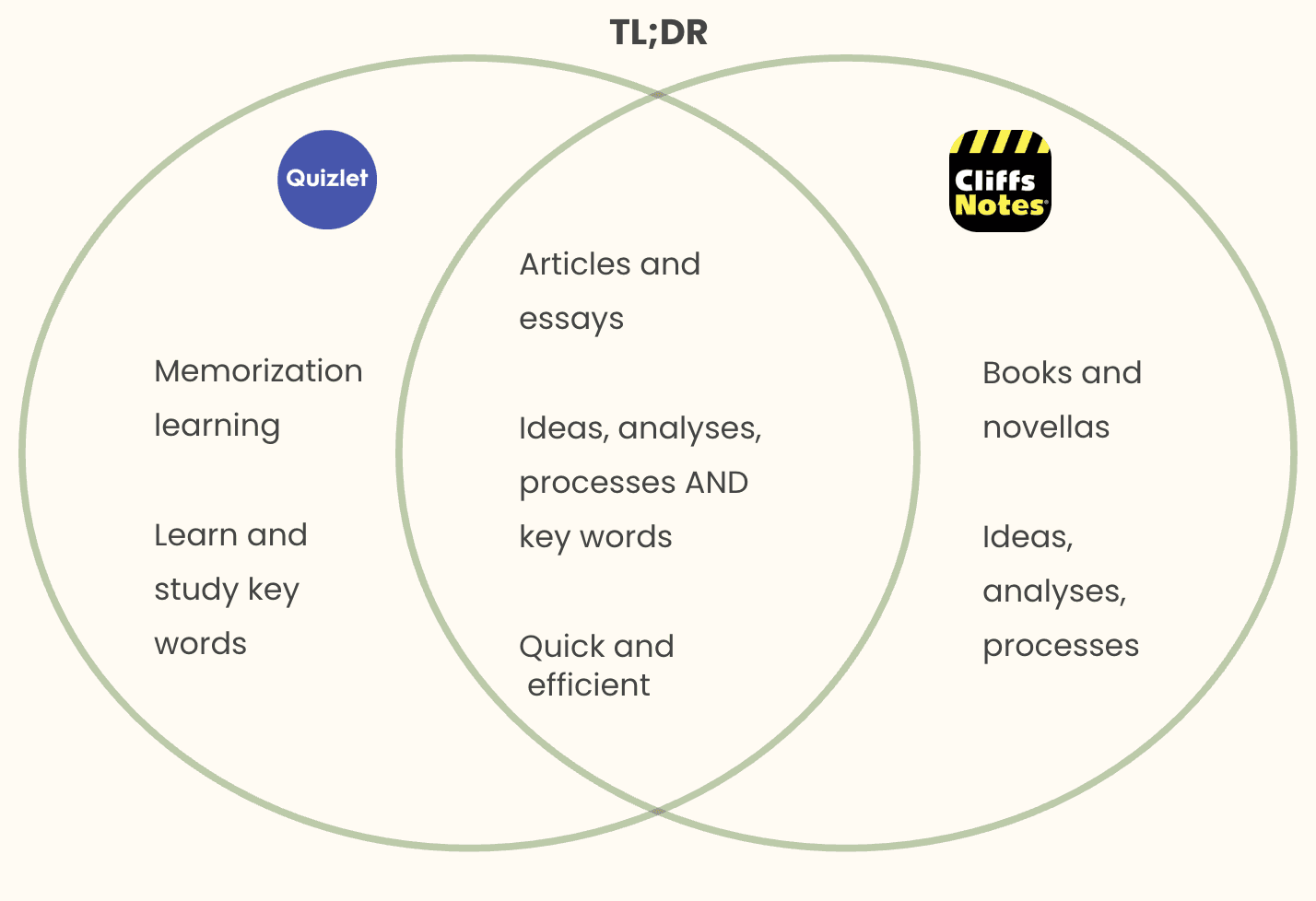
As I brainstormed, I gathered the most popular academic tools — Quizlet, Google Drive, GoodNotes — and tried identify needs in what they offered. Quizlet featured flash card modes and test modes, but it was predicated on users providing vocabulary words.
I asked a friend who studied humanities what the hardest parts about studying for her classes were, and what she wished she had to make it easier, more efficient.
She complained about the prolific readings she had, mostly filled with extraneous details; and, unfortunately, oftentimes she couldn’t find overviews online.
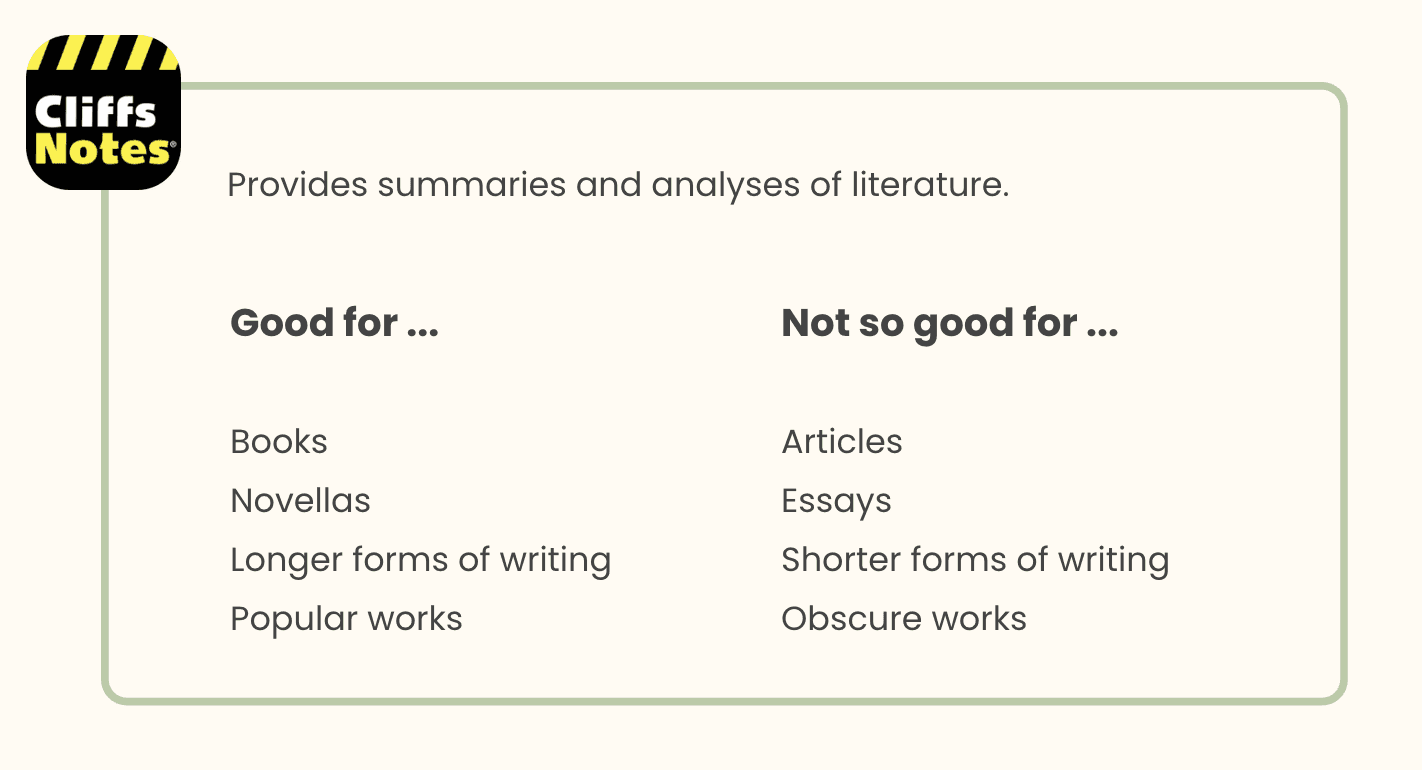
This sparked an idea: While I knew there were resources like CliffNotes, those were geared more towards literary books, not articles, essays, and other papers. Moreover, summaries were often done by other people, and the vast amounts of material out there made it impossible for there to be summaries of every text.
I could create a summarization tool for shorter writing forms that didn’t require a person to do it manually, but could instead summarize on the spot — while still providing the ability to focus on certain key words.
The name was easy enough TL;DR, short for Too Long; Didn’t Read. A common issue that students faced when it came to assigned readings. I aimed to address that.
With TL;DR, I could help students streamline their studying experience, minimize unnecessary work, and better manage their time.
DESIGN
I now had an overarching goal for my project: TL;DR would assist students in studying shorter form material.
The core function of my Minimum Viable Product would be the summarization of articles.
However, there were other considerations which were peripheral to the summarization functionality, but were equally important.
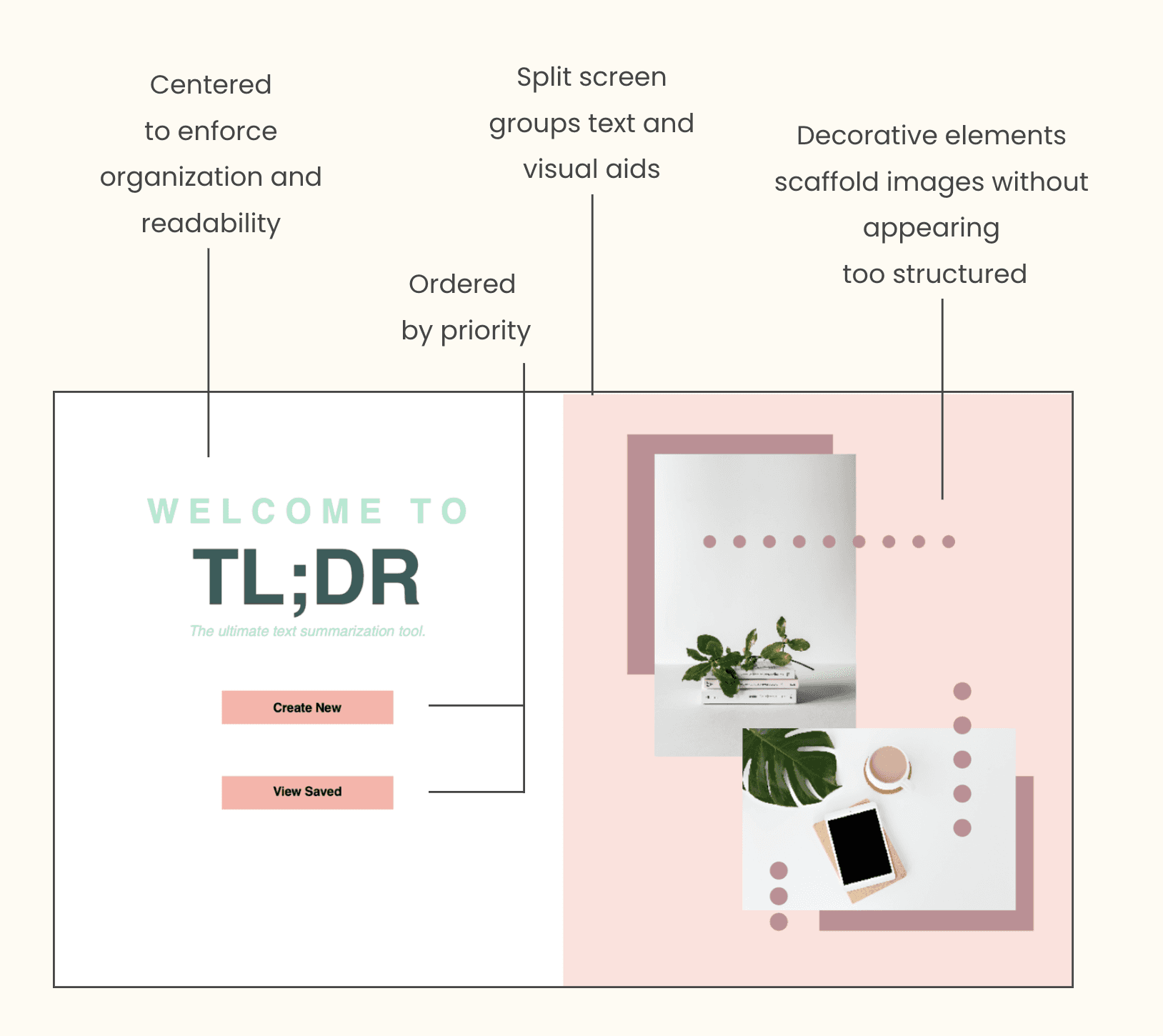
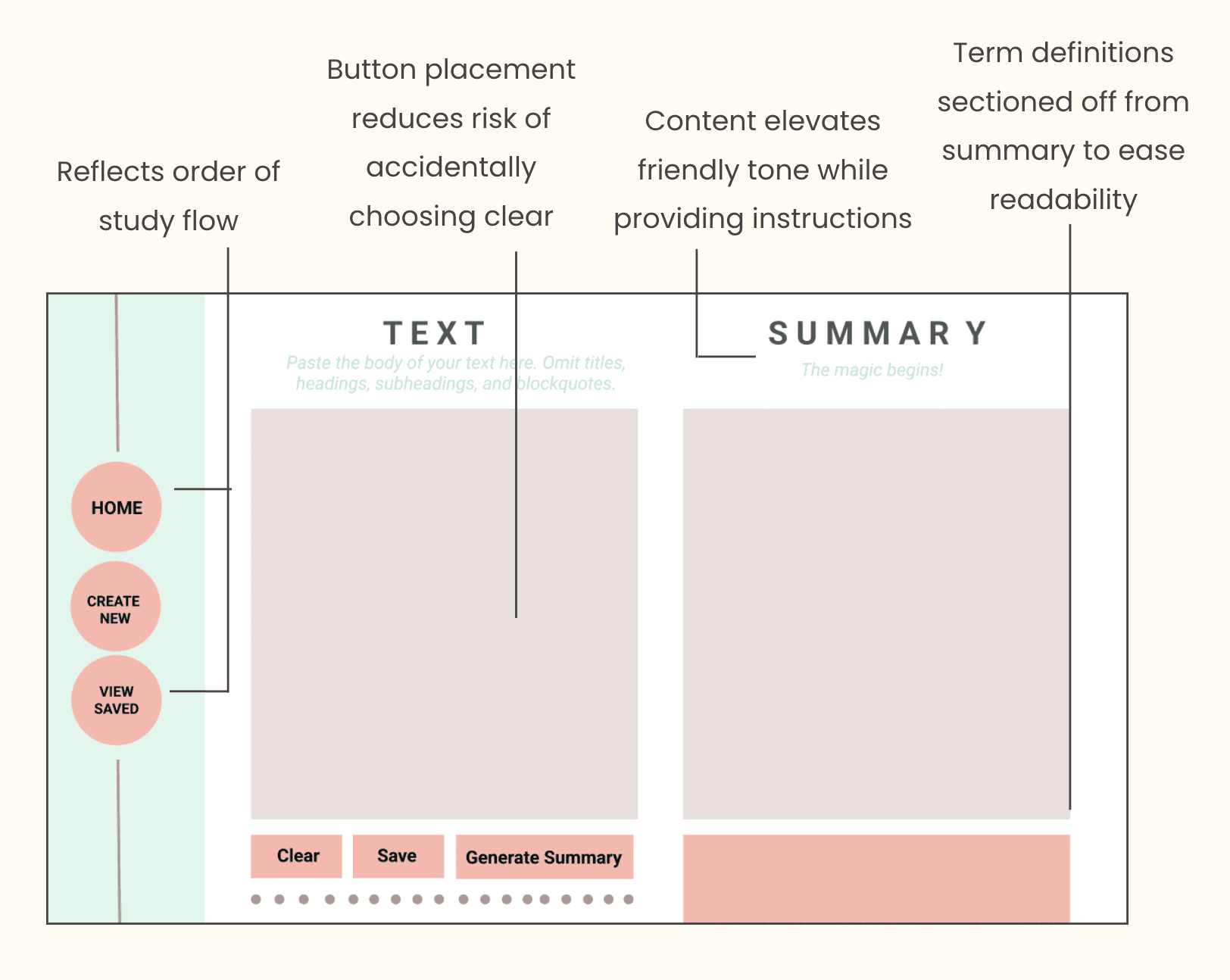
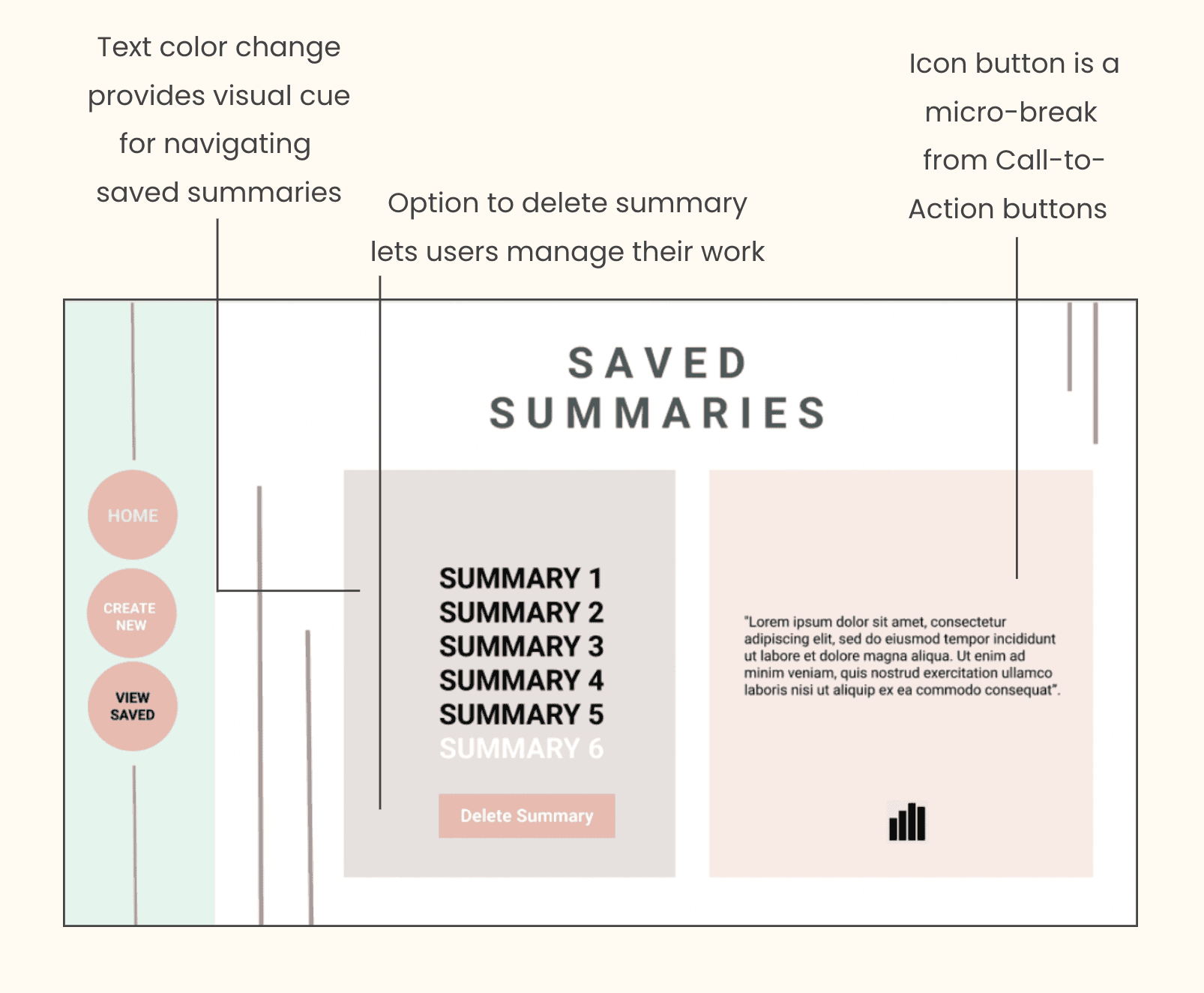
When fleshing out which other features to include, I drew inspiration from various components of existing productivity tools and narrowed the study flow down to three main screens: A home screen, a create screen, and a saved screen.
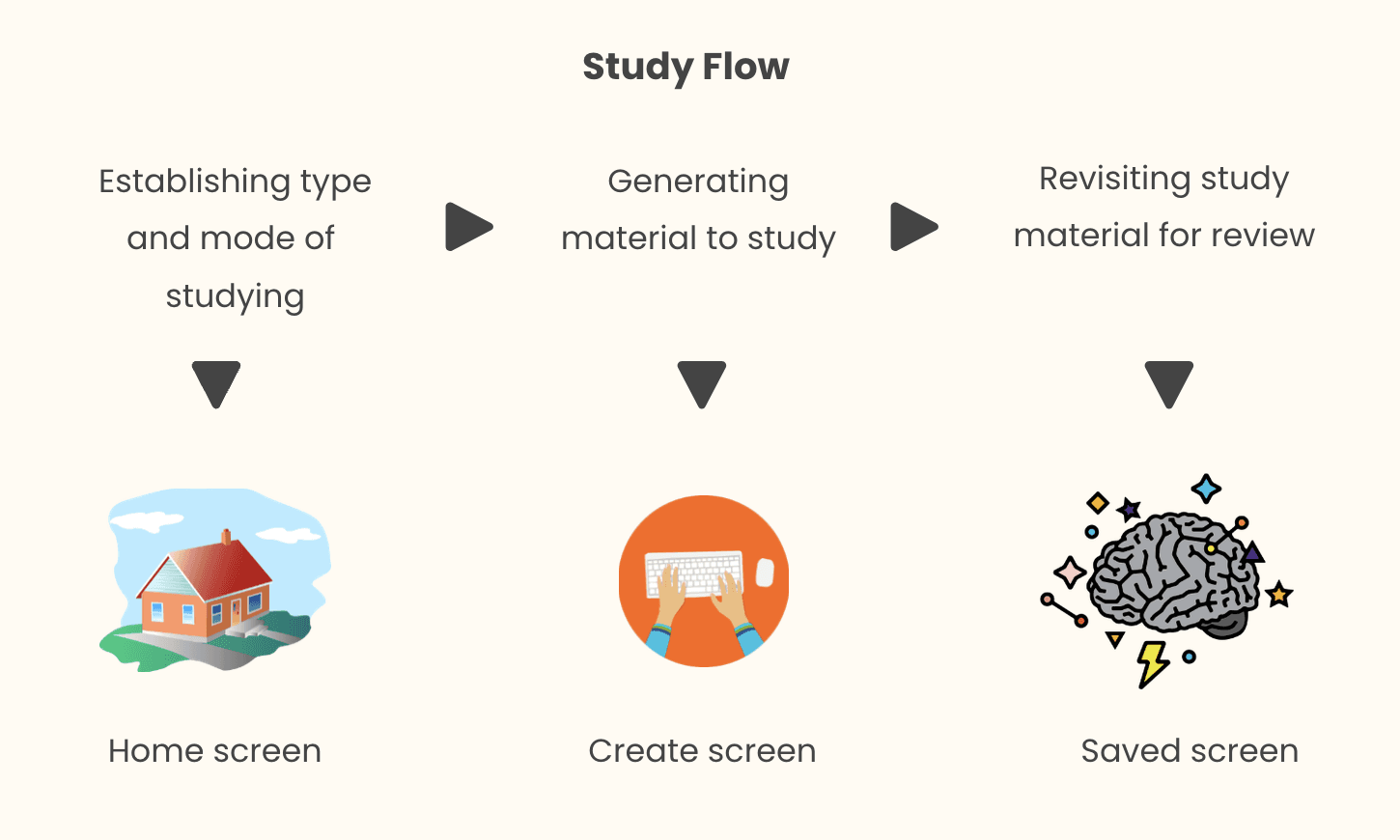
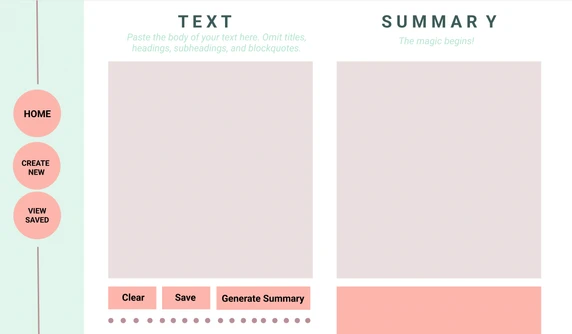
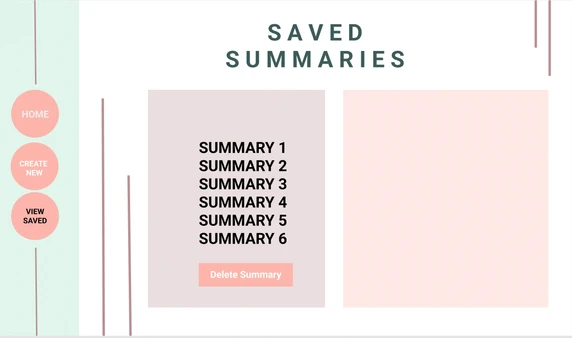
Each one would contribute to a simple but well-rounded experience, connected by a sidebar that stayed consistent throughout, allowing the user to switch between screens.
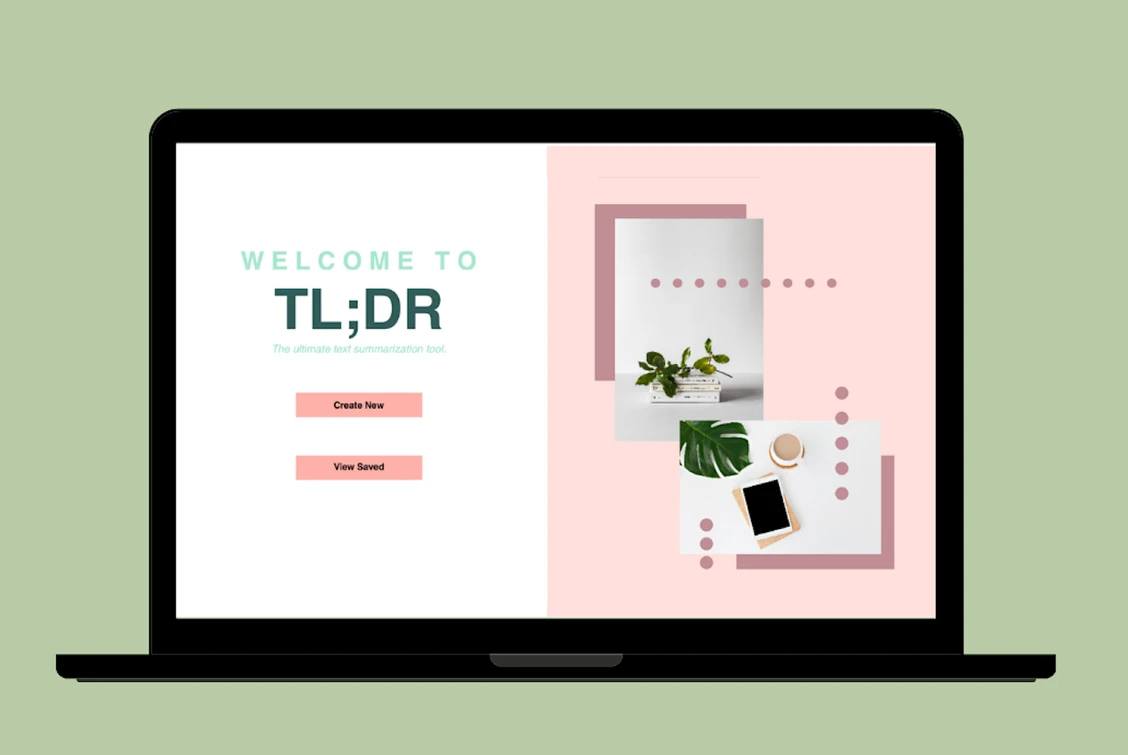
When crafting a color scheme, I wanted to deviate from the typical, impersonal color palette for these kinds of tools and inject some of my own style into it — and I noticed that pink was rarely, if ever, used. I made pink a large influence on the visual design of my app, balanced out by cooler, calmer shades of green.
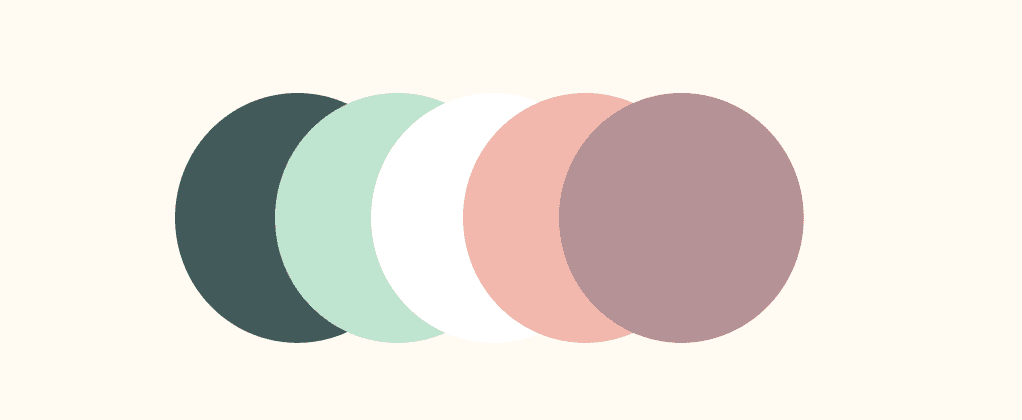
Together, they encapsulated how I wanted to portray TL;DR — a bright, inviting space meant to assist users in whatever mission they were out to accomplish. A space that not only cared about doing the job well, but also look good doing it.
When designing the wireframes, my focus was on organizing elements into a hierarchy and anticipating what the user flow might be. Along with the layout of features, I was mindful of important visual cues and content design. The dynamic of all of these choices would meld to provide a more seamless, enjoyable experience and cast light on how I use design towards empowering my users.
IMPLEMENTATION
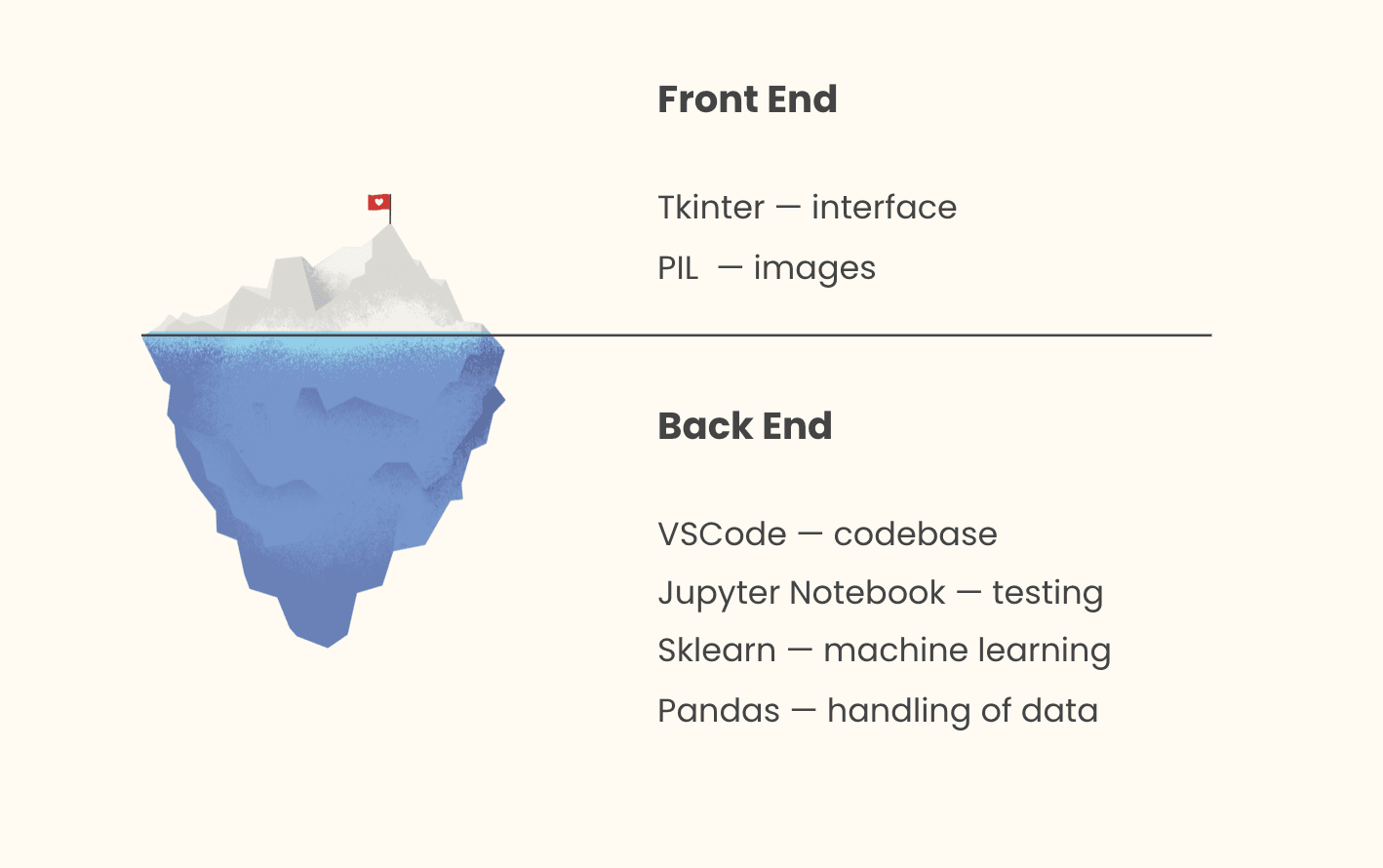
There were two main parts to my project — the front facing, user interface part, and the back end, algorithmic part.
When it came to implementation, the back end portion required the most preparation from my end — I had to to design and code an algorithm that could:
1) Classify the genre of a text.
2) Extract the most important points.
To do this, I performed extensive outside research on the basics of machine learning weeks before my term project was assigned.
I made this algorithm on its own first, to make sure it was robust, before building the rest of the app around it.
This way, I achieved Minimum Viable Product early on and was able to elevate its level of complexity and sophistication.
RESULTS
It was an extremely challenging, extremely fulfilling journey, which was made all the better by a supportive, open-minded mentor. I’m so grateful that my graders enjoyed TL;DR and awarded me an A! I was also featured in the final Term Project showcase, which is a video made by the course TAs of their favorite projects.
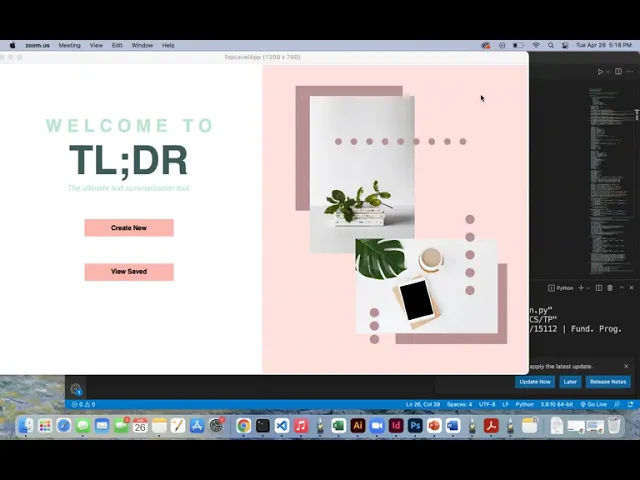
Below is the official demo that I submitted.
CHALLENGES
One of the constraints of my term project was that I had to use Tkinter for our interface, which is a graphics framework built into Python. It had limited capabilities, requiring that I “hard code” most of my designs. When it came to the design itself, I had to figure out how to use Tkinter’s limited capabilities to create interesting designs. Tkinter was built for shapes: ovals, circles, and rectangles, and every design choice was made from these few components.
I had to be creative, manipulating the shapes and their placement in different ways to elevate the visual experience.
A second challenge I faced was in creating the interactive summary box where users could click on a word to look up a term. The difficulty was in creating a single way to format each summary, since every summary would be different lengths, as well as somehow storing the (x, y) coordinates as efficiently as possible so that the app would know when the user clicked on a word.
I had to experiment a lot with different ways of representing the text and storing the locations of each word so I could display it on the interface. Ultimately, I took inspiration from a common function we used to make games for homework assignments and treated summaries as a staggered board game, where each word was a single cell. Visualizing summaries like this helped immensely in figuring out how to format them on the screen and implement interactivity features.
Lastly, another challenge I faced was a feature I suddenly decided to implement later on, when my project was due soon. After discussing with my mentor, we decided that while I did much with the create screen, there was more I could do with the saved summaries screen to elevate the sophistication of my app.
Low on time, I didn’t want to dive into an unfamiliar topic as I did for machine learning. I took advantage of the fact that all of my machine learning work had given me loads of information analyzing each article. I implemented a feature that took this valuable information to display a graph representing how the significance of an article varied throughout.
REFLECTION
Takeaways

Moving Forward
If I had more time, I would like to conduct more usability tests. I did a couple informal ones during a class lecture that provided valuable insight, but having longer, more thorough sessions where I asked a user to step through different user flows would allow me to more effectively gauge my app.
Since I was only allowed to use a limited subset of outside modules, I had to use Tkinter to imitate the effect of typing. Because Tkinter had to manually “draw” each letter on the interface, the app was often prone to lags. Moreover, the amount of analysis and graphics used significantly slowed the load-up time to lasting a whole minute. I would like to figure out more efficient ways of implementing the typing feature, as well improving the app’s responsiveness.
